- Published on
- • 2 min read
Multiple language sites in Refinery CMS with i18n
- Authors

- Name
- Shaiju Edakulangara
- @eshaiju
Refinery CMS is a Rails-based CMS that supports Rails 3.2 and 4.1. You can make Refinery CMS multilingual with i18n translations.
For this, add the gem to your Gemfile:
gem 'refinerycms-i18n'
Run the generator:
rails g refinery:i18n
Change the language settings
In Refinery's settings, find "I18n Translation Frontend Locales (Refinery)" and add the ISO country name. Or edit config/initializers/refinery/i18n.rb:
Refinery::I18n.configure do |config|
  config.default_locale = :en
  config.frontend_locales = [:en, :ar]
  config.locales = {:en => "English", :ar => "Arabic"}
end
That's it! Visit the Pages tab and you should see flags indicating the page language in the tree.
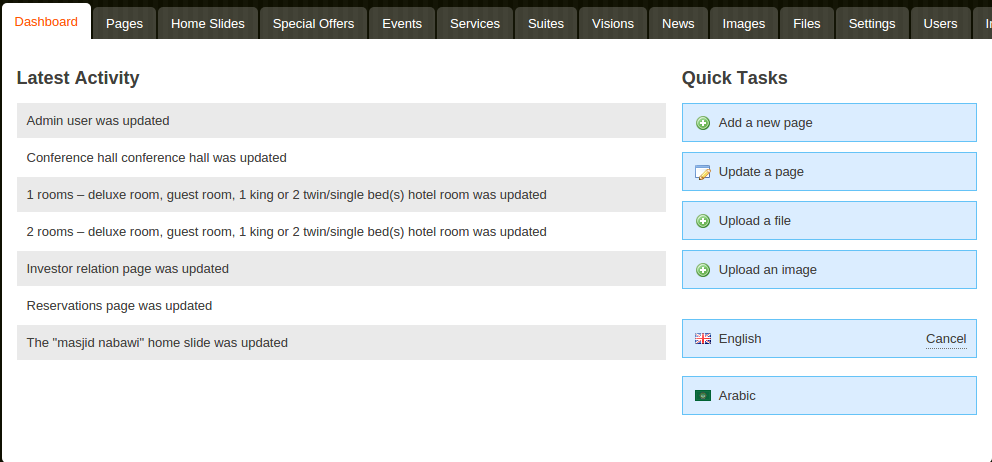
Edit a page and you'll see the available languages at the top. Simply select one to add content for that language.

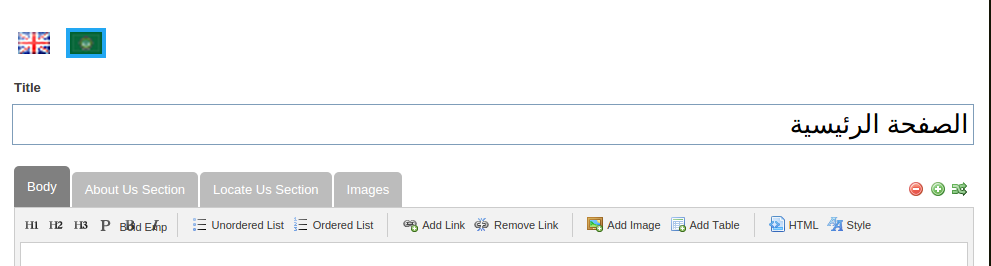
Now we need to add multi-language support for our extensions. We need to specify this when we create the extension using the --i18n attribute.
rails g refinery:engine Service title:string description:text icon:image --i18n title description
You can add a link to toggle between languages in your frontend using the following code:
<nav id='locale'>
  <% ::Refinery::I18n.frontend_locales.each do |locale| %>
    <%= link_to_if Globalize.locale.to_s != locale.to_s, locale, {:locale => locale} %>
  <% end %>
</nav>