- Published on
- • 1 min read
Custom HTML5 Validation Error Messages with Civem.js
- Authors

- Name
- Shaiju Edakulangara
- @eshaiju
HTML5 allows us to implement client-side form validation without any JavaScript coding. However, error messages are hard-coded to the browser. In my recent project, I had to use custom error messages and show them in both English and Arabic. I achieved error message customization with Civem.js, which lets you easily change the message to whatever you wish.
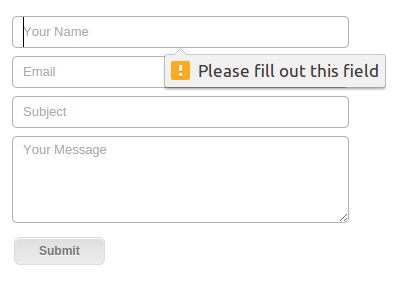
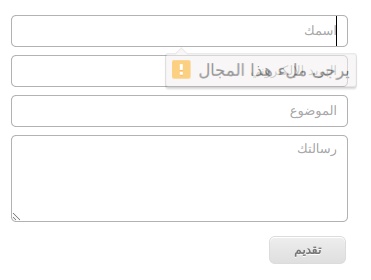
Steps to add custom error messages:
- Grab the latest download.
- Add the
civem.jsscript to your page. - Start using the custom error message attributes on your
input,textarea, andselectelements. - To customize a required field error message, use the
data-errormessage-value-missingattribute:
<input type="text" required data-errormessage-value-missing="Something's missing" />
- To customize a field type mismatch error message, use the
data-errormessage-type-mismatchattribute:
<input
  type="email"
  id="one"
  required
  data-errormessage-value-missing="Something's missing"
  data-errormessage-type-mismatch="Invalid!"
/>
- For showing pattern mismatch, set custom error message on
data-errormessage-pattern-mismatch.
Other available attributes:
data-errormessage-too-longdata-errormessage-range-underflowdata-errormessage-range-overflowdata-errormessage-step-mismatchdata-errormessage-custom-error